the adventure of a robot in love: machinarium

Machinarium

Machinarium is a point and click adventure game which brought me back to the good old days of such games. You control a small and cute (this is my feminine side speaking) robot through its journey to find its lost beloved one in a cruel robot world!

It has beautiful hand-made style graphics (as you can see on the screenshots) and the robot world is designed almost as I would have imagined it. Its music is a great company to the graphics. Note that when you buy the game you also receive its soundtrack in MP3 format! There is a lack of speech, but the communication is being done well using speech bubbles which explains everything clearly. After all, in a robot world English (or any other human language) can’t be an option!

It incorporates a large number of puzzles, in a great variety, from simple games (e.g. a large tic-tac-toe variation and an arcade asteroids game) to more complicated puzzles. Some of them are hard enough even for an experienced adventure games player (maybe due to the lack of explanation) but everything is solvable with some attention and patience.

After successfully using an item, it is disposed so the inventory isn’t full with unusable items (actually when I finished the game, I had 2 items left in my inventory but it wasn’t annoying at all).

But enough with the praise, let’s talk for the bad stuff: It’s a little bit annoying that you cannot just deselect an item in use and instead you have to return it to the inventory. Also, it might become boring at some point to have to watch the full animation of the robot walking up the stairs to go to another floor etc.

The only actual downfall of the game is the use of Flash as the development platform. Right-click does nothing (actually it displays the frustrating Flash player menu) when it could be used for example to deselect an item of the inventory (if another development platform was used since Flash doesn’t support right-click functionality as far as I’m aware). Also, the point-and-click system isn’t as precise as someone would expect it to be, so you might find yourself at some point clicking in the wrong place and making a wrong move.

But these facts couldn’t prevent even a huge Flash hater like myself to play and enjoy this amazing game! Before I forget, you cannot die in the game, so feel free to explore and try anything that you can think!

You can download the demo and/or buy the full game from its official website.

Machinarium Screenshot 1

Machinarium Screenshot 2


demon hunter – heroes of might & magic V custom map

Demon Hunter by ZanBon
Photo by ZanBon

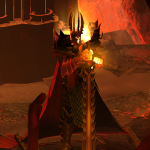
A good friend of mine created this great custom map for the Heroes of Might & Magic V strategy game. Read the description and give it a try:

“The Demon Sovereign has settled for many years in a distant underground castle, planing a fierce unleash of his army on the world. Strong magic has trapped the demon within his castle for over two centuries but now he has discovered a way out. It is time to stop him once and for all. Conquer any other claimer of the title because you only shall be remembered as the Demon Hunter!”

Download Link: Demon Hunter by ZanBon


How to backup your Grand Theft Auto IV saved games

Grand Theft Auto IV

If you search over the internet,  you’ll find a lot of different solutions to backup your GTA IV saved games. In my occasion (transfer from Windows XP 32-bit to Windows Vista 64-bit) the following worked perfectly:

  • Backup the entire “Rockstar Games” folder (your saved games) which is located in C:\Users\<USERNAME>\AppData\Local\ for Windows Vista and in C:\Documents and Settings\<USERNAME>\Local Settings\Application Data\ for Windows XP.
  • Backup the “XLive” folder (your Microsoft Games for Windows – LIVE profile), located in C:\Users\<USERNAME>\AppData\Local\Microsoft (Windows Vista) or C:\Documents and Settings\<USERNAME>\Local Settings\Application Data\Microsoft\
  • Install the game (including Microsoft Games for Windows – LIVE) and run it (so it can create the folders).
  • Find the new folders and replace them with your own.

Enjoy!