
Let’s say that you’ve in the process of writing a new e-book and you want to give the opportunity to your blog readers to submit their details in a form so they can receive a notification when the e-book is ready. You need a plugin. Ok, there are a few mailing list plugins out there that you can use quickly, but the point of this article is to show you how you can build such a plugin from scratch so you can modify it in any way you want, etc. You get the idea, so let’s start.
Read more →

Recently, I had to use jQuery UI’s Autocomplete widget. Its use is straightforward when you have a static datasource. When the datasource is larger though (from a few thousand to several million records) and you need to feed the Autocomplete widget with a remote dataset (provided in the example by a php script which queries a database) this are becoming a bit more complex because the documentation is a little vague on the matter and it lacks of a proper example.
Read more →
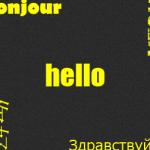
[HELLO-IN-ALL-LANGUAGES]! A couple of months ago I was in need of a script that figures out the location of the visitors of a website (using their IP) and displays a “hello” in their own language. After building this script I wrapped it up as a WordPress plugin under the name “hello in all languages”.
Read more →

I’ll explain a simple way to create an automatic image rotator using jQuery. First have a look at the demo page (opens in a new tab) to understand what we’re trying to accomplish. You can also [download id=”5″ format=”1″].
Read more →

As far as I can remember in my life, like every music lover does, I’m relating specific songs or sometimes whole albums with events, places, emotions etc. Even working on a project is not an exception.
Read more →
